> ## Documentation Index
> Fetch the complete documentation index at: https://docs.foundable.com/llms.txt
> Use this file to discover all available pages before exploring further.
# Start your business with Ted
> Bring your own idea, pick one of Ted’s, or let him surprise you. Then Ted plans your business, names it and builds your first website.
Your first foundable starts with one choice: bring your own idea, pick one of Ted’s, or let him choose. Whichever you pick, Ted turns it into a plan, names your business and builds your first website.
The choice appears over Home the first time you’re in. It has no close button, so pick one to begin.
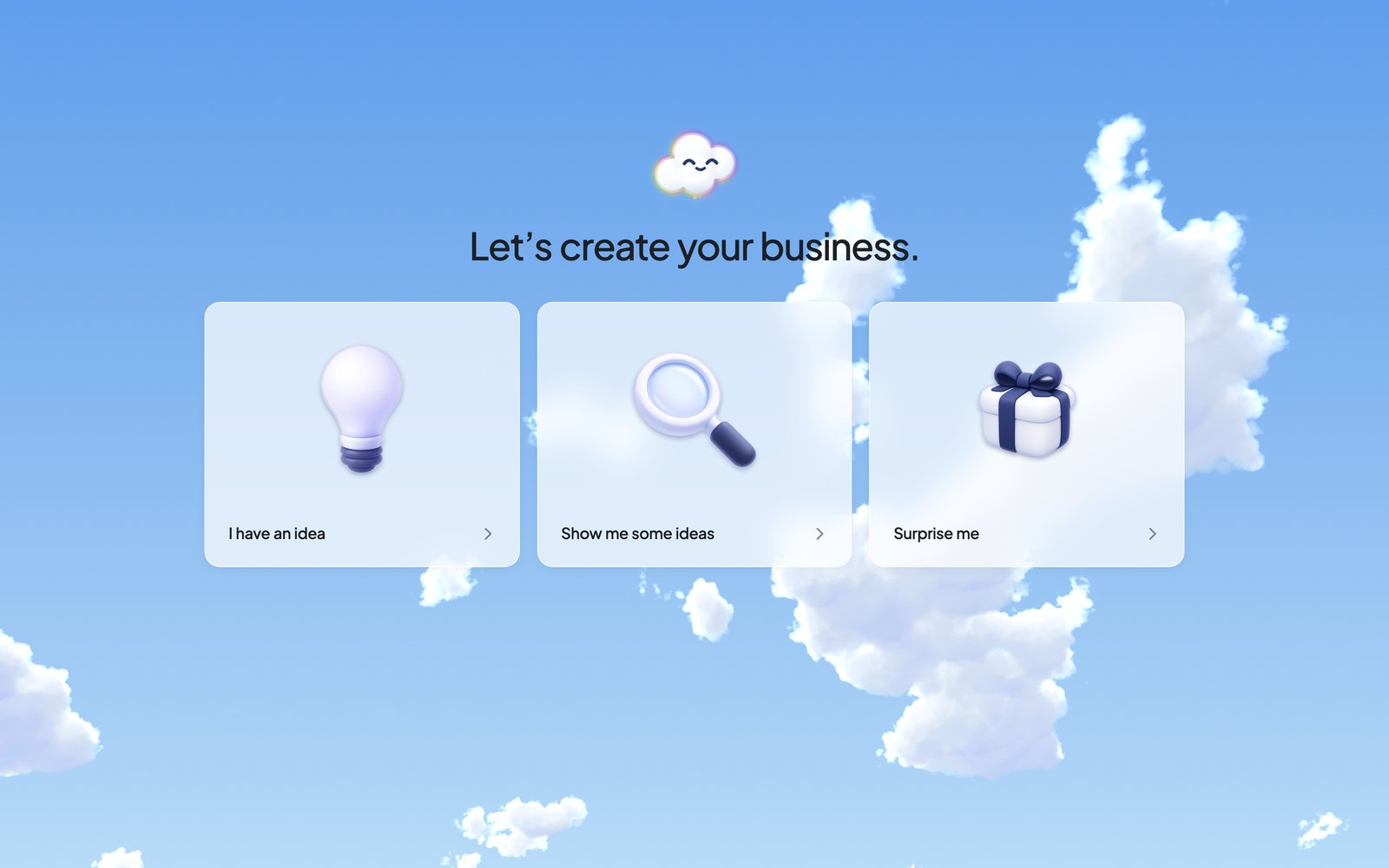 ## Choose how to start
You know what you want to do. Tell Ted in your own words.
Ted finds businesses that fit you, and you pick one.
Ted chooses a business for you, plans it and builds it.
### I have an idea
Ted says hello: “Hey, I’m Ted! Tell me what you have in mind, even if it’s just a rough thought. We’ll find a starting point together.” A card adds “Even one sentence is plenty.” Choose **Let’s start**, then type your idea in the **Message Ted…** box and send it.
Describe it the way you’d tell a friend: what you’ll sell or offer, and who it’s for. Ted can work from a rough idea.
### Show me some ideas
Ted says “Hey, I’m Ted! Give me a moment to find a few businesses that fit you. Pick one and I’ll get to work.” While he looks, you’ll see “Working out what fits you”, then “Researching a good fit”.
Then the card “Choose your idea” shows his ideas, three at a time. Press the one you like, and Ted starts building it right away.
## Choose how to start
You know what you want to do. Tell Ted in your own words.
Ted finds businesses that fit you, and you pick one.
Ted chooses a business for you, plans it and builds it.
### I have an idea
Ted says hello: “Hey, I’m Ted! Tell me what you have in mind, even if it’s just a rough thought. We’ll find a starting point together.” A card adds “Even one sentence is plenty.” Choose **Let’s start**, then type your idea in the **Message Ted…** box and send it.
Describe it the way you’d tell a friend: what you’ll sell or offer, and who it’s for. Ted can work from a rough idea.
### Show me some ideas
Ted says “Hey, I’m Ted! Give me a moment to find a few businesses that fit you. Pick one and I’ll get to work.” While he looks, you’ll see “Working out what fits you”, then “Researching a good fit”.
Then the card “Choose your idea” shows his ideas, three at a time. Press the one you like, and Ted starts building it right away.
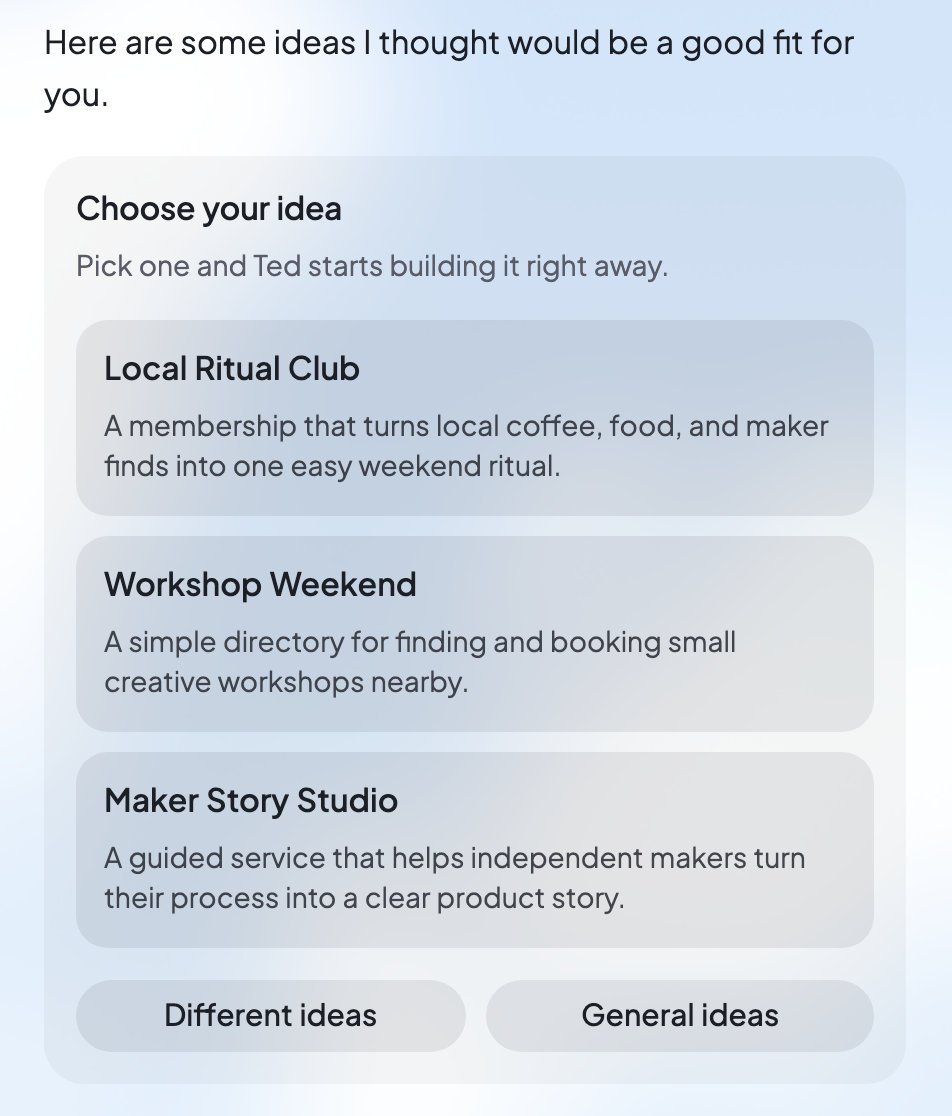 * Not quite right? Press **Different ideas**.
* **General ideas** shows a broad mix. The more Ted knows about you, the better his ideas fit, so tell him about yourself in the chat too.
### Surprise me
Ted says “Hey, I’m Ted! Leave this one to me: I’ll choose a business for you, plan it and make your first build. It takes a few minutes.” He takes every step himself, up to your first website.
## Ted’s plan and Start build
Ted saves a plan for your business, with its name, its mission and the idea. Saving it names your foundable, which shows as “New foundable” until then.
When the plan is saved, the chat shows **Start build**. Press it to start your first website. If you picked one of Ted’s ideas or chose **Surprise me**, the build starts by itself.
* Not quite right? Press **Different ideas**.
* **General ideas** shows a broad mix. The more Ted knows about you, the better his ideas fit, so tell him about yourself in the chat too.
### Surprise me
Ted says “Hey, I’m Ted! Leave this one to me: I’ll choose a business for you, plan it and make your first build. It takes a few minutes.” He takes every step himself, up to your first website.
## Ted’s plan and Start build
Ted saves a plan for your business, with its name, its mission and the idea. Saving it names your foundable, which shows as “New foundable” until then.
When the plan is saved, the chat shows **Start build**. Press it to start your first website. If you picked one of Ted’s ideas or chose **Surprise me**, the build starts by itself.
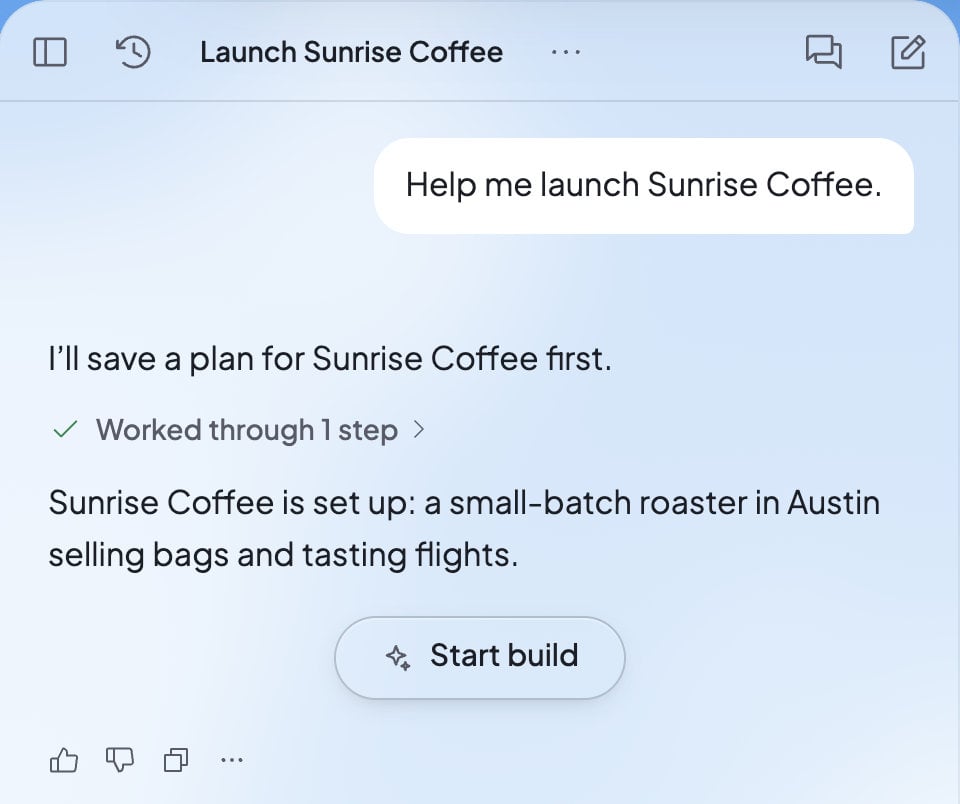 Only the owner can start the first build. Teammates see “… can start the build.” instead.
## What happens next
* **Ted builds your first website.** On Home, the **Build** card reads “Building…”, then “Your website is saved”. Your website then opens in Build by itself. See [Build your website](/build/overview).
* **Ted starts your free first run.** It begins with your first build, and Foundable pays for it. See [Your free first run](/run/first-run).
* **Your logo and business email arrive.** Once your business has a name, Foundable makes a first logo and sets up its own email address. Ted may also send you a welcome email.
* **Short tours show you around.** They play once, on your first foundable. On a phone, the chat steps aside for Home once the first build starts.
Later, a new chat with Ted asks “What should I work on?” and offers a few ideas to start from.
## What Ted makes during setup
| What you get | Where to find it |
| - | - |
| Your business plan | **From Ted** on Home |
| Your business’s name and logo | At the top left, next to Ted’s mark, and in Settings › **General** |
| A business email address, ending in @foundable.app | Your [Inbox](/inbox/overview) |
| Your first website | **Build** |
| Your free first run | **Run**, and its report on Home |
## Change things later
* **Name.** Open Settings › **General**, change **Name**, and press **Save changes**. Or ask Ted: his card “Rename to …” changes it when you press **Rename**, and your email and website addresses stay the same.
* **Logo.** In Settings › **General**, press your logo to upload a new one or switch to a saved one. Or ask Ted for a new logo, and choose **Use this logo** on his card.
See [Your foundables](/account/foundables) for more.
## Start another business
Open your foundable’s name at the top left and choose **Create foundable**. The Free plan includes one foundable, so a second one needs a paid plan. See [Your foundables](/account/foundables).
## FAQ
No. Choose **Show me some ideas** to pick from Ted’s ideas, or **Surprise me** to let him choose for you.
Press **Different ideas** or **General ideas**. You can also tell Ted more about yourself in the chat, so his ideas fit you better.
Your foundable has no name until Ted saves its plan. You can also name it yourself in Settings › **General**.
No. Only the owner can start the first build.
Open your account menu and choose **Tutorial hub**. You can also go to Settings › **Account** › **Product tour** and press **Replay**.
## Related
From a new account to your first live website.
How to talk to Ted and follow his work.
Your websites, their versions and their Tools.
What Ted does for your business on his first run.
This documentation is built and hosted on [Mintlify](https://mintlify.com), a developer documentation platform.
Only the owner can start the first build. Teammates see “… can start the build.” instead.
## What happens next
* **Ted builds your first website.** On Home, the **Build** card reads “Building…”, then “Your website is saved”. Your website then opens in Build by itself. See [Build your website](/build/overview).
* **Ted starts your free first run.** It begins with your first build, and Foundable pays for it. See [Your free first run](/run/first-run).
* **Your logo and business email arrive.** Once your business has a name, Foundable makes a first logo and sets up its own email address. Ted may also send you a welcome email.
* **Short tours show you around.** They play once, on your first foundable. On a phone, the chat steps aside for Home once the first build starts.
Later, a new chat with Ted asks “What should I work on?” and offers a few ideas to start from.
## What Ted makes during setup
| What you get | Where to find it |
| - | - |
| Your business plan | **From Ted** on Home |
| Your business’s name and logo | At the top left, next to Ted’s mark, and in Settings › **General** |
| A business email address, ending in @foundable.app | Your [Inbox](/inbox/overview) |
| Your first website | **Build** |
| Your free first run | **Run**, and its report on Home |
## Change things later
* **Name.** Open Settings › **General**, change **Name**, and press **Save changes**. Or ask Ted: his card “Rename to …” changes it when you press **Rename**, and your email and website addresses stay the same.
* **Logo.** In Settings › **General**, press your logo to upload a new one or switch to a saved one. Or ask Ted for a new logo, and choose **Use this logo** on his card.
See [Your foundables](/account/foundables) for more.
## Start another business
Open your foundable’s name at the top left and choose **Create foundable**. The Free plan includes one foundable, so a second one needs a paid plan. See [Your foundables](/account/foundables).
## FAQ
No. Choose **Show me some ideas** to pick from Ted’s ideas, or **Surprise me** to let him choose for you.
Press **Different ideas** or **General ideas**. You can also tell Ted more about yourself in the chat, so his ideas fit you better.
Your foundable has no name until Ted saves its plan. You can also name it yourself in Settings › **General**.
No. Only the owner can start the first build.
Open your account menu and choose **Tutorial hub**. You can also go to Settings › **Account** › **Product tour** and press **Replay**.
## Related
From a new account to your first live website.
How to talk to Ted and follow his work.
Your websites, their versions and their Tools.
What Ted does for your business on his first run.
This documentation is built and hosted on [Mintlify](https://mintlify.com), a developer documentation platform.