

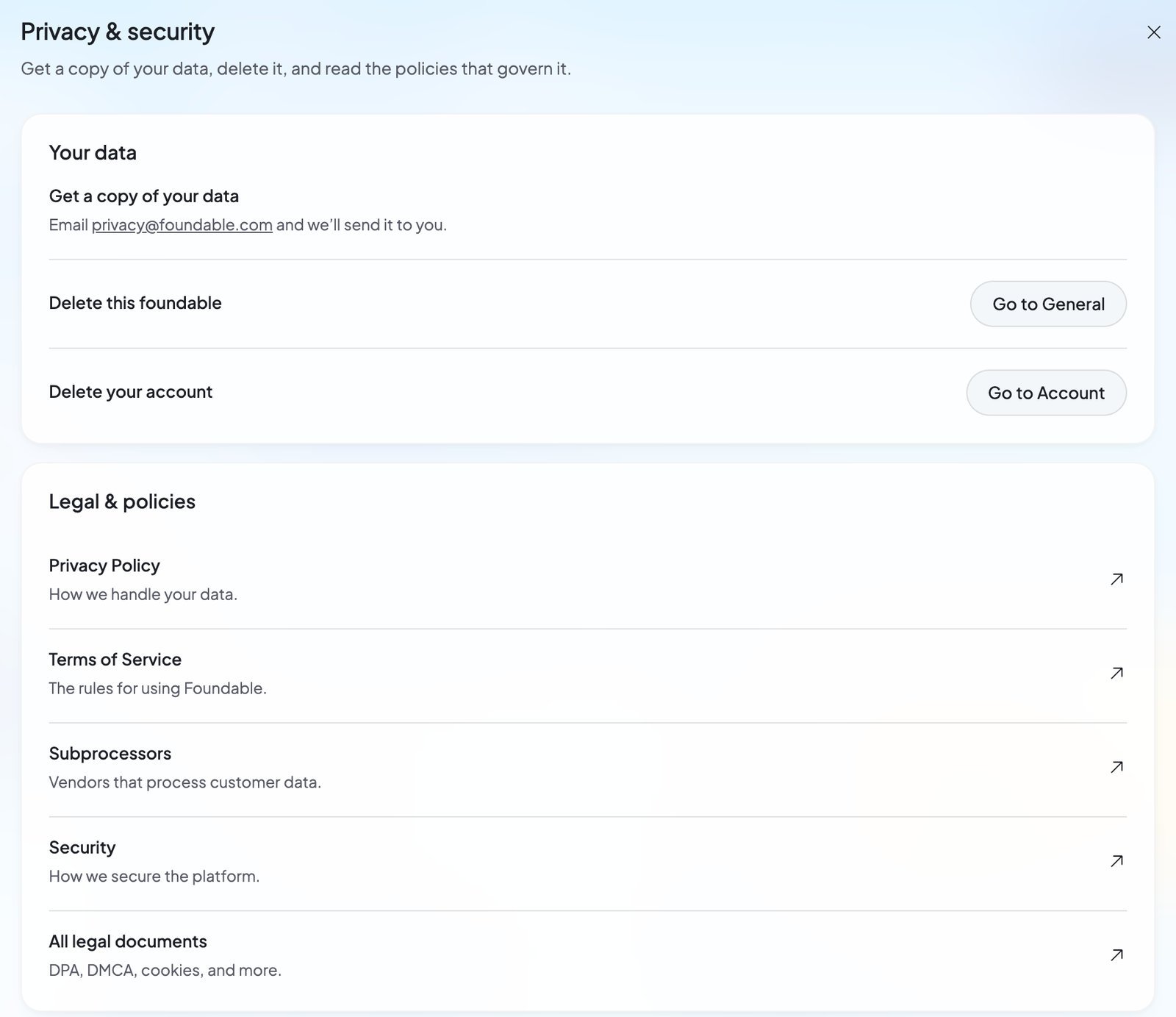
Get a copy of your data
Email privacy@foundable.com, and the team will send you a copy. There’s no download button in the app: your copy comes by email.Delete a foundable
To delete one business and keep your account, press Go to General next to “Delete this foundable”. Only the owner can delete a foundable. See Delete a foundable.Delete your account
Before you delete
- Only want to stop paying? Cancel your plan instead. See Cancel your plan.
- Only want to leave someone else’s foundable? Leave it from Team. See Leave a foundable.
- Want a copy of your data? Email privacy@foundable.com first.
- Want to keep a domain you bought? Transfer it out of Foundable first. See Manage your domains.
Delete it
1
Open Account
Open Settings, then Account. Or, in Privacy & security, press Go to Account.
2
Press Delete account
It’s under Danger zone, at the bottom of Account.
3
Read what will happen
The window “Delete account?” lists how many foundables will be deleted and their names, “with their websites, mailboxes and data”. It also says your plan stops now, and that domains stop renewing.
4
Confirm
Type DELETE in capital letters, then press Delete account. You’ll see “Deleting…”, then “Logging out…”.
What happens when you delete your account
- You’re logged out everywhere at once.
- Your plan stops right away. “The rest of this billing period isn’t refunded.” The card you paid with is removed from Stripe.
- “A domain you bought through Foundable stays registered until the year you paid for ends, then lapses.” It doesn’t renew.
- Every foundable you own is deleted, with its website, mailbox and data. Your teammates lose access to them.
- Foundables you joined as a teammate aren’t deleted. They stay with their owners.
- Then your account is erased. “This can’t be undone.”
Legal & policies
The Legal & policies card links to Foundable’s policies on foundable.com:
All legal documents also lists:
- Acceptable Use Policy
- Refund & Dispute Policy
- AI Disclosure
- Cookie & Tracking Notice
- Data Deletion Instructions
- Domain Holding Agreement
- Data Processing Addendum
- Responsible Disclosure Policy
- DMCA Notice & Takedown Policy
Who to email
FAQ
Can I undo deleting my account?
Can I undo deleting my account?
No. Once you confirm, your account and every foundable you own are erased for good.
Will my plan keep charging me after I delete my account?
Will my plan keep charging me after I delete my account?
No. Your plan stops right away, and the card you paid with is removed from Stripe. The rest of the current billing period isn’t refunded.
What happens to my domains?
What happens to my domains?
Domains stop renewing. A domain you bought through Foundable stays registered until the year you paid for ends, then lapses. To keep one, transfer it out before you delete your account.
What happens to my teammates?
What happens to my teammates?
The foundables you own are deleted, so your teammates lose access to them. Foundables owned by other people aren’t affected.
Can I delete my data but keep my account?
Can I delete my data but keep my account?
You can delete a foundable and keep your account. See Delete a foundable. For anything else about your data, email privacy@foundable.com.
Related

Your foundables
Delete one foundable, or leave one you don’t own.

Plans and credits
Cancel your plan without deleting anything.

Manage your domains
Renew, move or transfer a domain.

Get help
Talk to the Foundable team.