

yourbusiness.foundable.app. A domain gives it an address that is yours alone, like yourbusiness.com. It looks more like your business, and it’s easier to share.
You can get one in two ways. Buy a new domain through Foundable with your credits, and Foundable sets it up for you. Or connect a domain you already own by adding a few records where you manage it.
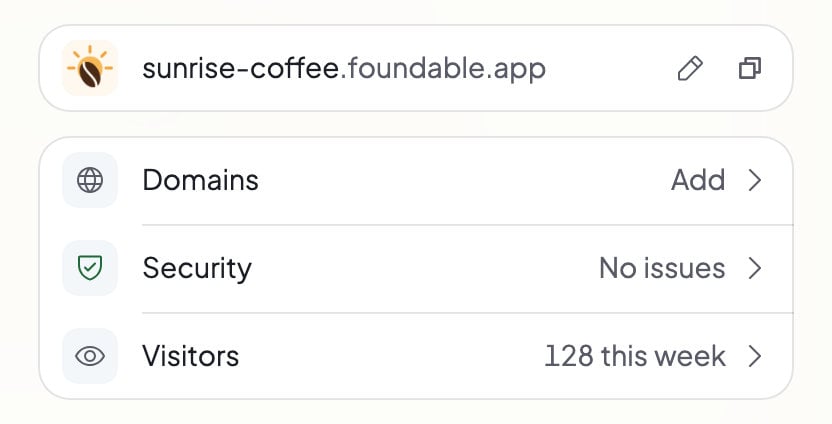
In Build, the Publish panel’s Domains row opens Settings › Domains.
Buy or connect?

Buy a domain
Best when you don’t have a domain yet.
- Nothing to set up. Foundable points it at your website.
- “Usually ready in 5–15 minutes.”
- Paid with credits. It renews each year while Auto-renew is on.
- The owner or an admin can buy one.

Connect a domain you own
Best when you already bought one somewhere else.
- You add DNS records where you manage it, and Foundable checks them.
- “DNS settings can take up to 72 hours to propagate.”
- It stays with the company you bought it from, and you renew it there.
- Anyone on your team except view-only teammates can connect it.
Buying or connecting a domain needs a paid plan. Publishing your website at its foundable.app address doesn’t. See Plans and credits.
Where to find domains
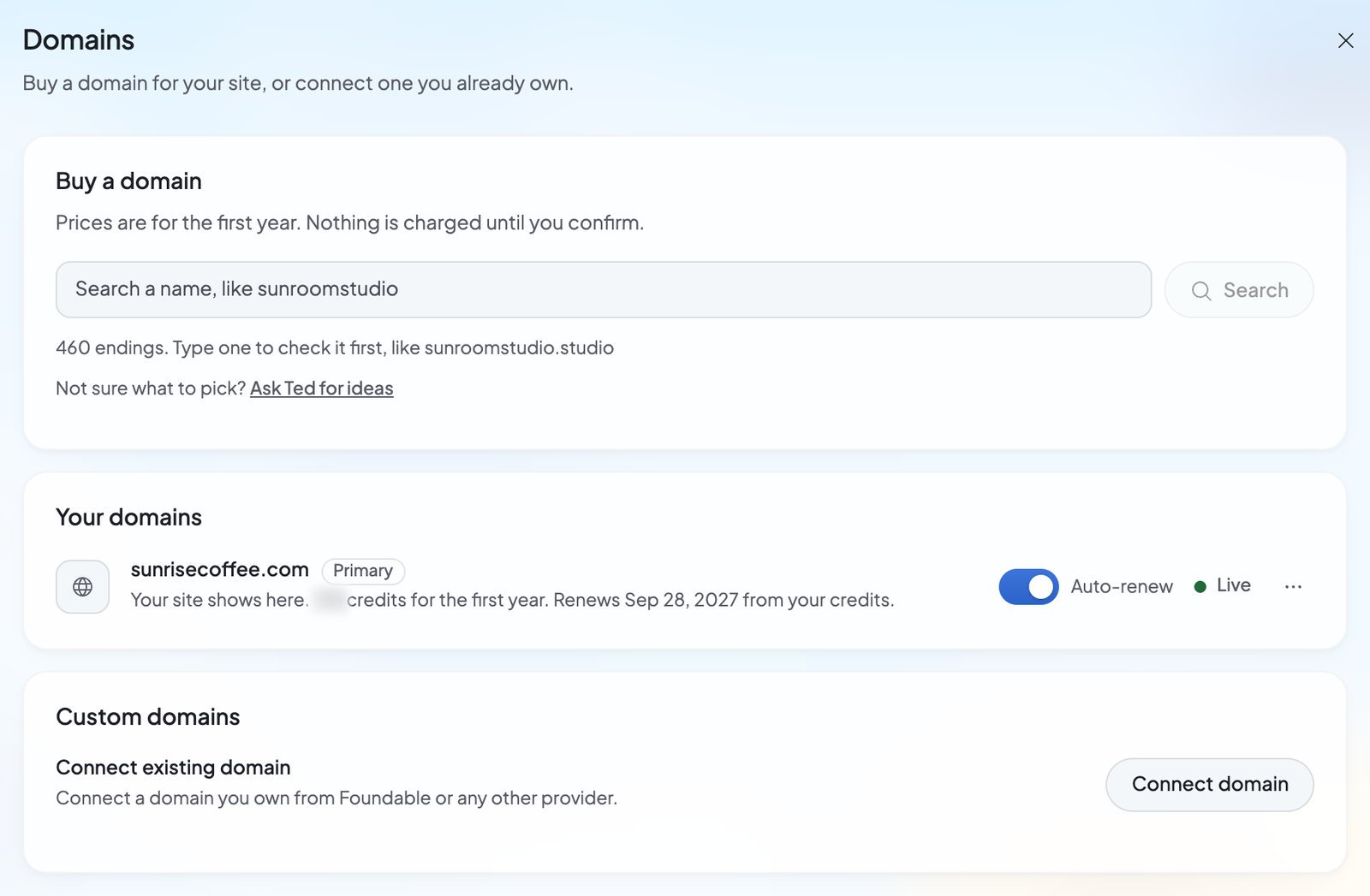
Most of what you do with domains happens in Settings › Domains. Open the account menu (your initial or photo at the top right), choose Settings, then Domains. On a phone, tap More, then Settings. The page has three parts:- Buy a domain: search for a name and buy it. It says “Prices are for the first year. Nothing is charged until you confirm.”
- Your domains: the names you bought, how far each one has come, and its Auto-renew switch.
- Custom domains: connect a domain you already own and follow its setup.
Let Ted find one for you
Ted can suggest domains that fit your business. Press Ask Ted for ideas under the search in Settings › Domains. Build opens with “Find me a domain for” and your foundable’s name in Ted’s message box. Nothing is sent until you send it. You can also ask him in your own words in the chat. Ted answers with a card of names, each with its price in credits, his first pick marked “Recommended”. You can search any other name in the same card. When you like one, tap it and press the Buy for button. Already own a domain? Connecting it is yours to do. Ted points you to Custom domains in Settings › Domains, and you add the records where you manage your domain. See Connect a domain you own.Your primary domain
Your website can have more than one address: its foundable.app address, plus each domain you buy or connect. Your primary domain is the one the others send visitors to. In Settings › Domains it’s marked “Primary”, with the hint “Your site’s other addresses send visitors here”. To choose it, open a live domain’s … menu and choose Set as primary. To stop sending visitors there, choose Unset as primary. With no primary domain, every address shows your website. Only a domain that is already live can be your primary domain.Email on your domain
Your foundable’s email address can use your domain too, likeyou@yourbusiness.com. You set that up in the Inbox: press your email address under the Inbox title, then Use your own domain. If you bought the domain through Foundable, Foundable sets up its email records for you. Email on your own domain needs a paid plan. See Your email address.
Who can do what
To add people, see Invite your team.
FAQ
Do I need my own domain?
Do I need my own domain?
No. Your website works at its foundable.app address on every plan, Free included. A domain of your own is an extra you can add any time.
Will my foundable.app address stop working?
Will my foundable.app address stop working?
No, it keeps working. Once you have a primary domain, visitors who open your foundable.app address are sent on to it.
Can I set up a domain before I publish?
Can I set up a domain before I publish?
Yes. A domain you connect before your website is live reads “Ready”: “Domain will be live once the site is published.” When you publish, your website shows there.
How much does a domain cost?
How much does a domain cost?
Each name has its own price. Every search result shows it in credits before you buy, and nothing is charged until you confirm. Renewals come from your credits too. You can also ask Ted what a name costs.
Can my website have more than one domain?
Can my website have more than one domain?
Yes. You can buy or connect more than one. Choose one as your primary domain, and the others send visitors to it.
Who owns a domain I buy through Foundable?
Who owns a domain I buy through Foundable?
Foundable registers it and holds it in trust for your foundable. When you buy, you agree to the Domain Holding Agreement, which explains the details. See Buy a domain.
Related
Buy a domain
Find a name and buy it with credits.
Connect a domain you own
Add the DNS records and go live on it.

Manage your domains
Renewals, DNS records, nameservers and moves.

Publish your website
Put your website online so your domain can show it.