

yourbusiness@foundable.app. People see your foundable’s name as the sender.
1
Open your Inbox
Press Inbox in the top bar. Your address sits under the Inbox title.
2
Press your address
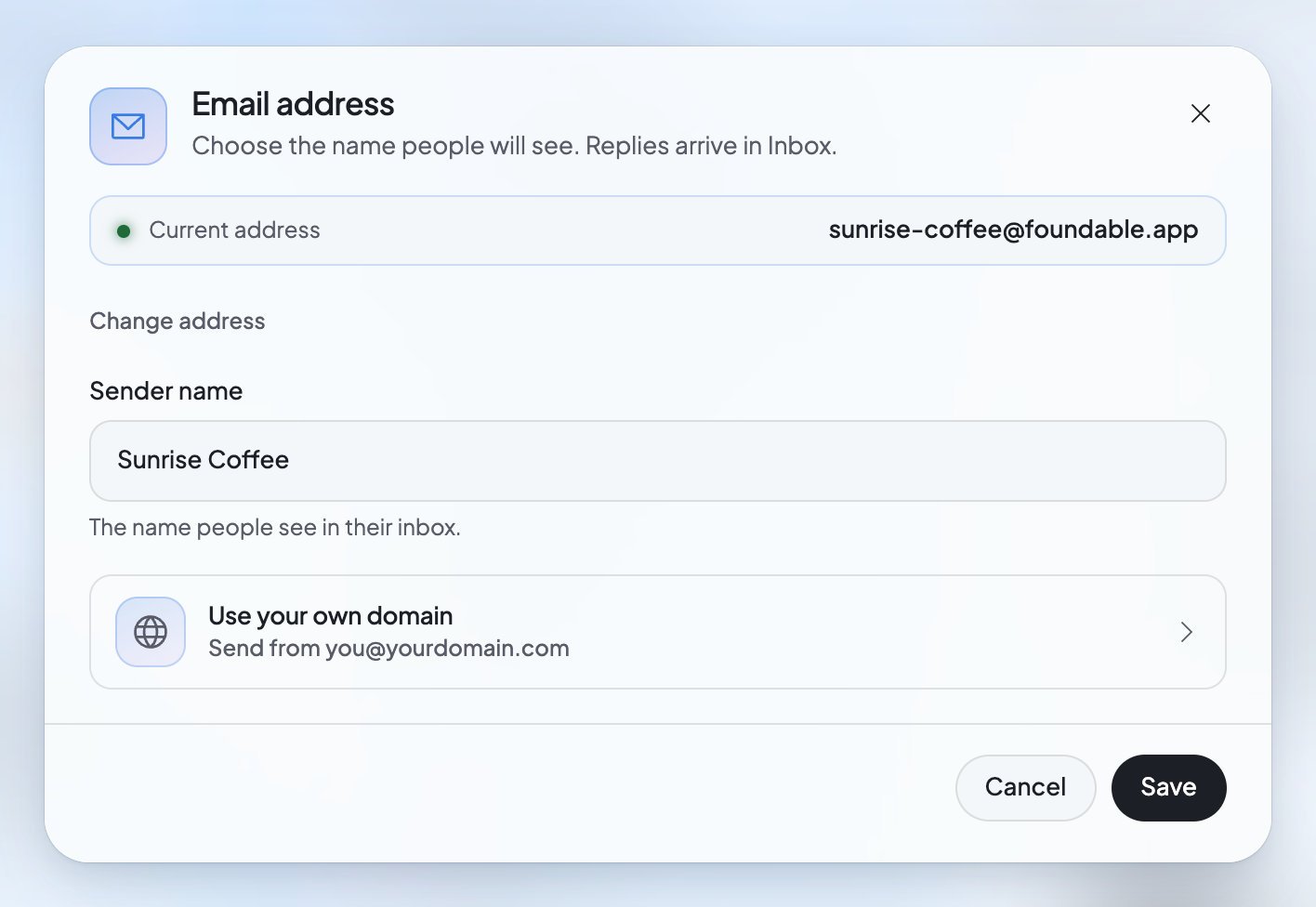
The Email address dialog opens. It shows your “Current address” and says “Choose the name people will see. Replies arrive in Inbox.”
3
Make your change
Change the Sender name, press Change address, or press Use your own domain. Each one is explained below.
While your address is being made
Until your address is ready, the Inbox says “Your email is on its way” and “We’re setting up your foundable’s own email address. This page updates by itself.” If it takes longer than usual, it says “Your email setup is taking longer”, and Foundable keeps trying. You don’t need to reload the page.Change the name people see
The sender name is the name people see in their inbox when your foundable emails them. An owner or admin can change it.1
Open the Email address dialog
In the Inbox, press your address under the title.
2
Type the new name
Change the name in Sender name.
3
Press Save
You’ll see “Sender name saved.”
Pick a new address
Only the owner can change the address. It’s free.1
Press Change address
In the Email address dialog, press Change address.
2
Type the new name
In Email address, type the part before “@foundable.app”. Use lowercase letters, numbers and hyphens. The dialog says “We’ll check this address when you save.”
3
Read what changing does
The dialog explains it: “Changing deletes … and the mail in it, and discards unsent drafts. The old address stays yours, so no one else gets its mail.”
4
Press Change address
You’ll see “Address changed.” To go back without changing anything, press the button at the top that reads “Keep” and your current address.
Send from your own domain
With a paid plan, your foundable can send and receive email at a domain you own, likehello@yourbusiness.com. An owner or admin sets the domain up, and the owner moves your email there.
Before you start
- A paid plan. Email on your own domain needs a paid plan. Without one, pressing Continue closes the dialog and shows you the plans. See Plans and credits.
- A domain. If you bought it through Foundable, Foundable sets up its email for you. If you bought it somewhere else, you’ll add a few records where you manage it.
1
Press Use your own domain
In the Email address dialog, press Use your own domain (“Send from
you@yourdomain.com”).2
Type your domain
Type it in Your domain and press Continue.
3
Get the domain ready
Bought through Foundable: the dialog says “Setting up email on …” and “Foundable is adding its records for you. This usually takes a few minutes.” After a few minutes, press Check setup.Bought somewhere else: the dialog says “Add these records where you manage your domain, then come back here.” Each record shows its type, its name and its value. Press a value to copy it, add each record where you manage your domain, then press Check setup.
4
Move your email
When the dialog says “… is ready”, choose the address and the Sender name, then press Move email.
What you’ll see while you set it up
Change your mind
Before your email moves, press Use a different domain to start again with another one, or Don’t use this domain for email to stop. You’ll see “Domain no longer used for email.”FAQ
Do I have to set up my email address?
Do I have to set up my email address?
No. Foundable makes it for you as soon as your foundable has a name.
What happens to my mail if I change my address?
What happens to my mail if I change my address?
The old mailbox is deleted with all its mail, and unsent drafts are thrown away. The new address starts empty. The same happens when you move to your own domain.
Can someone else get my old address?
Can someone else get my old address?
No. “The old address stays yours, so no one else gets its mail.”
Does any of this cost money?
Does any of this cost money?
Changing your address on foundable.app is free. Email on your own domain needs a paid plan.
My domain already has email somewhere else. What should I do?
My domain already has email somewhere else. What should I do?
Use a subdomain, such as mail.yourbusiness.com, as the dialog suggests. Foundable may refuse a domain whose email already runs somewhere else.
Related

Your Inbox
Read and answer the mail people send you.

Write and reply
Send email from your new address.

Buy a domain
Get a domain through Foundable, with email set up for you.

Plans and credits
See which plan you’re on, and what a paid plan adds.