

What Ted does in your first run
1
He sizes up your competition
Ted looks up businesses like yours and saves a short competitor snapshot. It appears under From Ted on Home.
2
He drafts an outreach email
Ted writes one email to someone whose reply could move your business forward. It waits for your OK under From Ted and in your Inbox’s Drafts. Nothing is sent unless you approve it.
3
He suggests where to go next
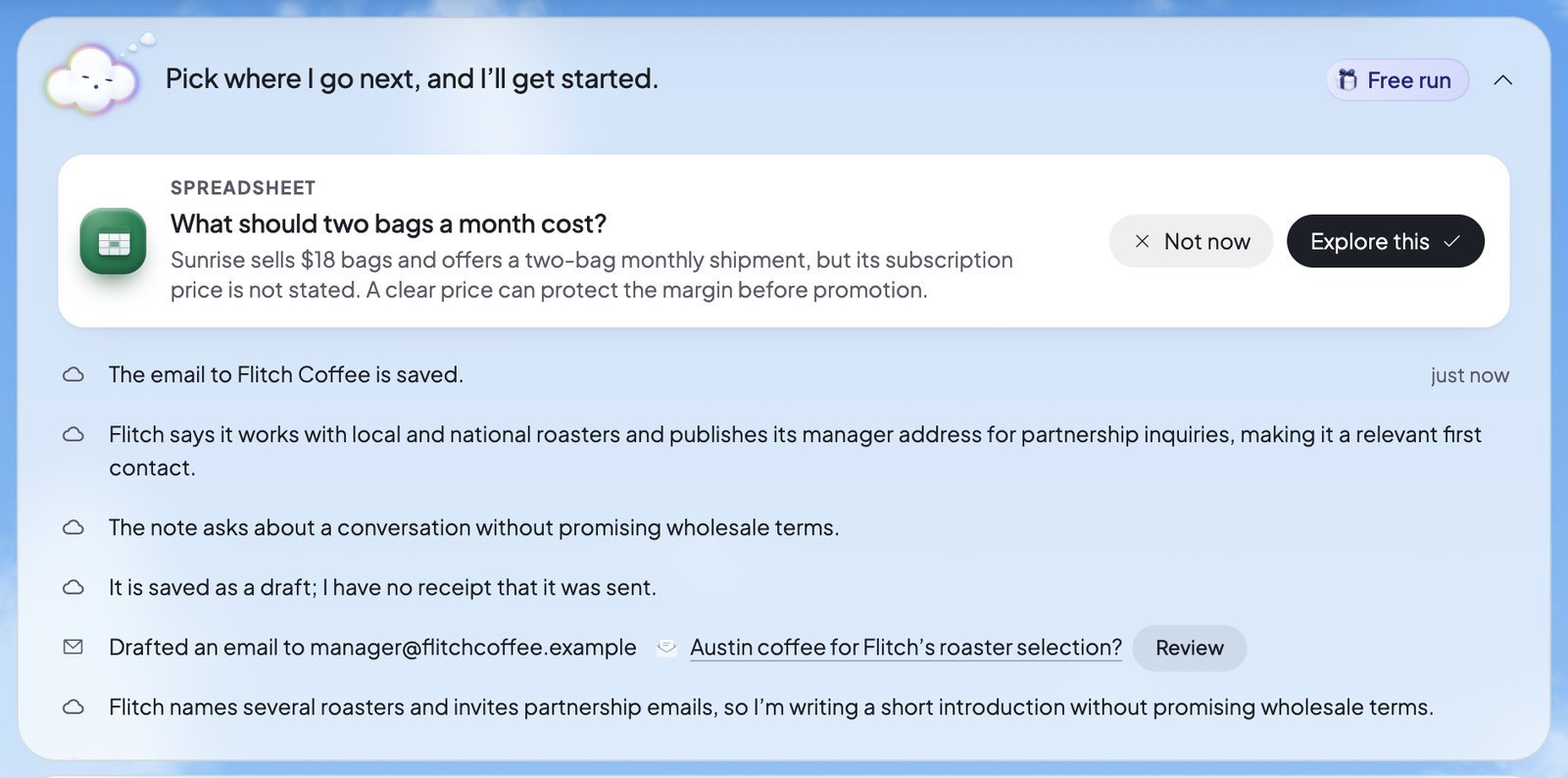
Ted shows you ideas for bigger work, one card at a time: a spreadsheet, a slide deck or a new page for your website. Press Explore this or Not now.
4
He works on what you picked
Each idea you explore becomes real work. Each thing he makes from your choices is marked “From your direction” under From Ted.
5
He shows you what he did
When the run is over, his report opens: “What Ted has done so far”. See When it ends.
Pick where Ted goes next
Once the snapshot and the email are done, Ted asks you about one direction at a time. The same card shows on Home, above Ted’s activity, and in Run, under Ted needs you. Each card says what exploring it makes, the direction in a few words, and Ted’s reason.- Explore this: Ted works on it next.
- Not now: Ted sets it aside and shows you another idea of the same kind, if he has one.
Ted asks about the website last, so a website that’s still building has time to finish. If you turn down every idea, the run ends after the snapshot and the email.
The new page on your website
A website direction adds one new page to your website. Ted saves it without publishing it, and it reads “New page” under From Ted. Visitors see it only after you publish your website. To take it back out, go back to an earlier version in Version history.What the first run won’t do
- It can’t be paused or stopped. Run’s card shows no Pause or Stop while it works.
- It sends and publishes nothing by itself. The email waits for your OK, and the new page waits for you to publish it.
- It asks you nothing but directions. Ted asks questions only in the runs you start yourself.
- It has no settings. While it works, Run’s card has no settings, and Run’s boxes and tools open the plans you can choose.
- It happens once. Each foundable gets one first run, and it never starts again.
When it ends
Ted’s line on Home says “Here’s what I’ve done so far!”. His report, “What Ted has done so far”, opens by itself once, on whatever page you’re on. It shows what the run made. Then it shows what setting up your foundable made: your business plan, your logo and your business email, each with a line from Ted. To read it again, find its row under From Ted. Beside Ted’s line, the owner sees Keep Ted working. It opens the plans when you can choose one, and goes on to Run once you’re on a plan. Otherwise it opens Run, where you can start a run of your own.What you’ll see
FAQ
Why didn’t my first run start?
Why didn’t my first run start?
It starts when you start building your first website, such as when you press Start build. Saving a plan with Ted isn’t enough by itself. Once the build starts, the first run starts too.
Does the first run use my credits?
Does the first run use my credits?
No. Foundable pays for it. Runs you start yourself afterwards use your credits. See Plans and credits.
Will Ted email someone without asking me?
Will Ted email someone without asking me?
No. The outreach email waits for your OK. If you approve it, it’s sent from your foundable’s email address. If you decline it, nothing is sent.
What if I don’t answer a direction?
What if I don’t answer a direction?
The run waits for you, however long that takes. Answer when you’re ready, on Home or in Run.
Can I pause or stop the first run?
Can I pause or stop the first run?
No. It runs its course and ends on its own. The runs you start yourself can be paused and stopped. See Pause, resume or stop.
What happens after the first run?
What happens after the first run?
Press Keep Ted working to see the plans, or open Run and press Start Run to start a run of your own. See Run: Ted runs your business.
Related

Run: Ted runs your business
Start your own runs and follow what Ted does.

Approve Ted’s work
Review the email and anything else Ted drafts.

Publish your website
Put the new page Ted made online.

Plans and credits
What a paid plan adds once your first run is done.