

Before you start
- To sell for real, set up Payments and publish your website.
- Not set up yet? Ask Ted anyway. Until Payments is ready and your website is published, his card makes a test product. You can try it in your website’s preview, and it goes on sale for real once both are done.
- Only the owner or an admin can create products and change what’s for sale.
Sell something
1
Ask Ted in the chat
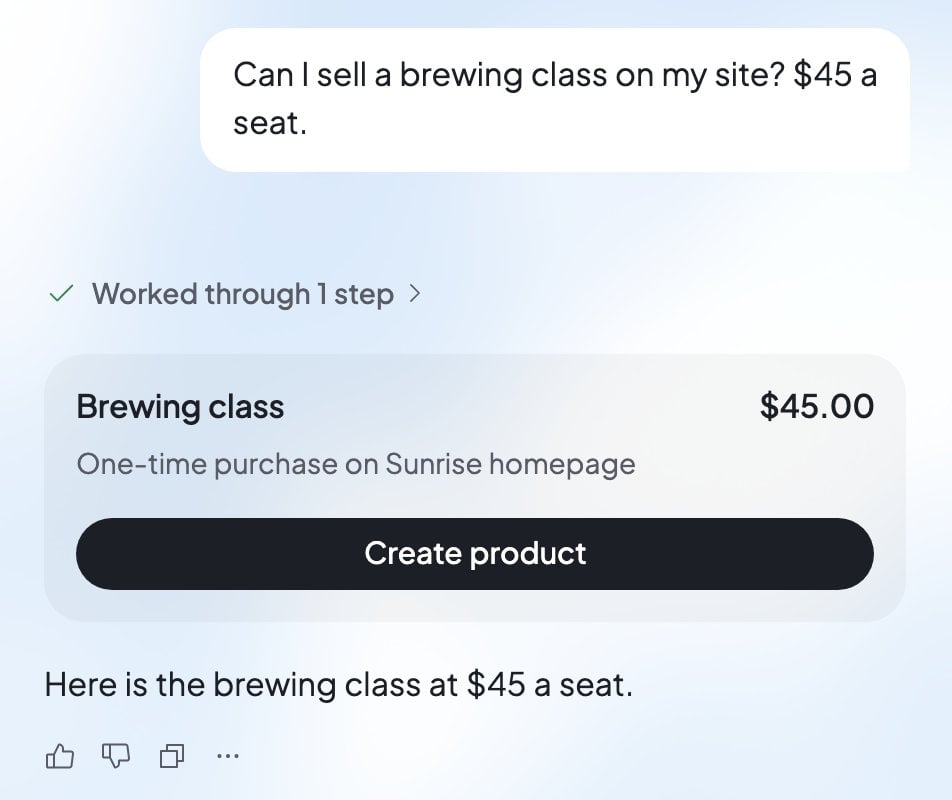
Say what you want to sell and the price. For example: “Sell a brewing class on my website for $45 a seat.” If the price isn’t clear, Ted asks you for it.
2
Check Ted’s card
Ted shows a card with the product’s name, its price and “One-time purchase on” your website. Check both closely: a product’s name and price can’t be changed later.
3
Press Create product
Press Create product, or answer “yes” in your next message. The card then says where the product stands.
4
Press Add to my site
Ted’s message box fills with a request for the product’s Buy button. It also asks for a small footer on every page. The footer has your business name, a contact email, and links to a refund policy, terms and a privacy page. Ted drafts any of those pages your website doesn’t have yet, for you to review. Read the request, change anything you like, then press Send.
5
Publish the change
When Ted has saved the change, look it over in the preview and publish your website. The Buy button goes live, and in Payments the product shows “On” and your website’s name.
What Ted’s card says
Your products in Payments
The Products card in Payments lists what one website sells: the one picked at the top of Build. To see another website’s products, pick it there.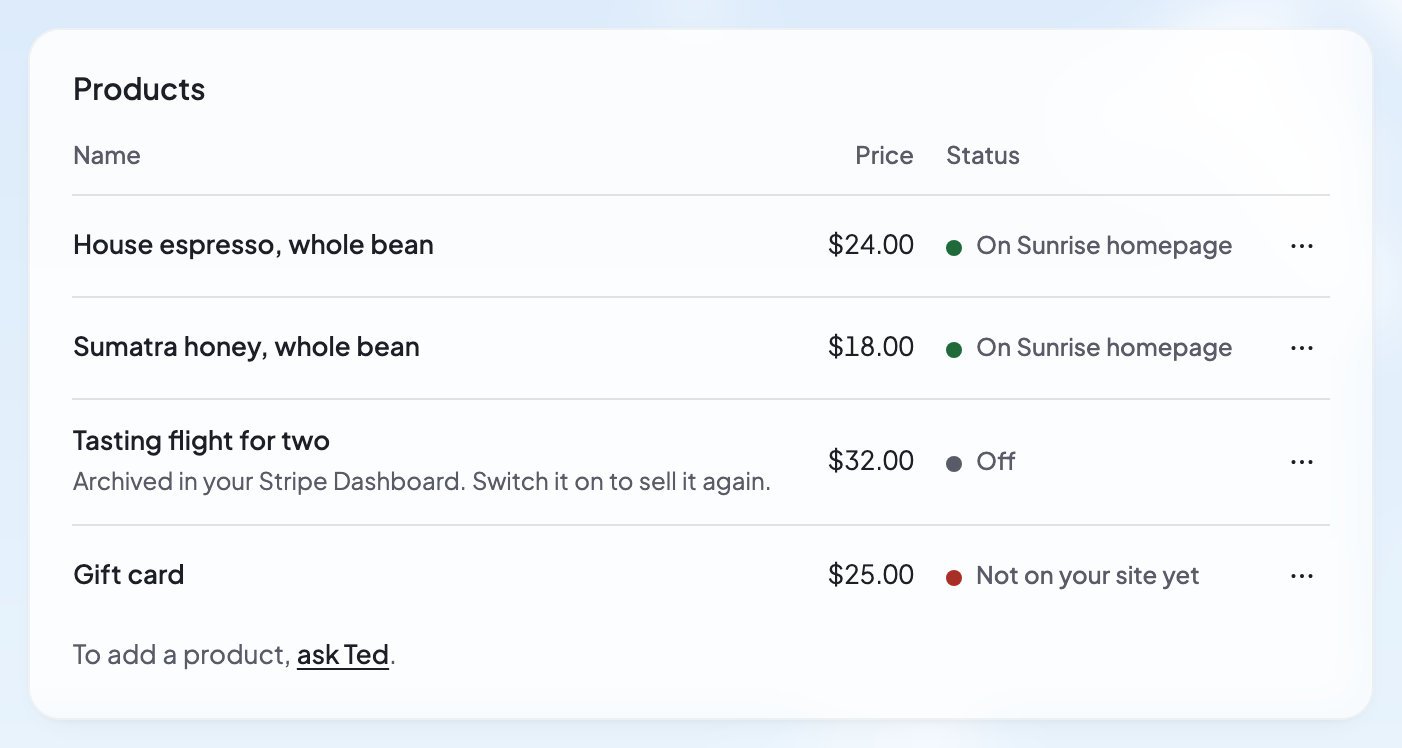
What your customers see
When a customer presses a Buy button on your live website, Stripe’s checkout page opens with your product and price. They pay there, then come back to your website, which says how it went:- “Thank you! Your payment went through.”
- “We’re confirming your payment.” and “It can take a moment.”
- “Your payment didn’t go through.”
- “Checkout canceled.” when they leave Stripe’s page without paying.
FAQ
Can I change a product’s price or name?
Can I change a product’s price or name?
No. Once a product is made, its name and price stay as they are. You can stop selling it, and ask Ted for another product with the new name or price.
Why does my product say “Not on your site yet”?
Why does my product say “Not on your site yet”?
Payments looks at your live website for the product’s Buy button and didn’t find one. Open the product’s … menu in Payments, choose Add to my site, send Ted the request, then publish the change.
Does a copy of my website keep its products?
Does a copy of my website keep its products?
No. When you duplicate a website, the copy starts with nothing for sale: “The copy has no products yet; add them in Payments.”
Related

Test a purchase
Try your Buy button in the preview. No money moves.

Sales and refunds
See what sold and refund a sale.

Publish your website
Put your changes online for customers.

Chat with Ted
Ask Ted for products, buttons and pages.