

1
Open Report a bug
Open the account menu (the round button at the top right), then Help, then Report a bug. On a phone, press More, then Report a bug under Help.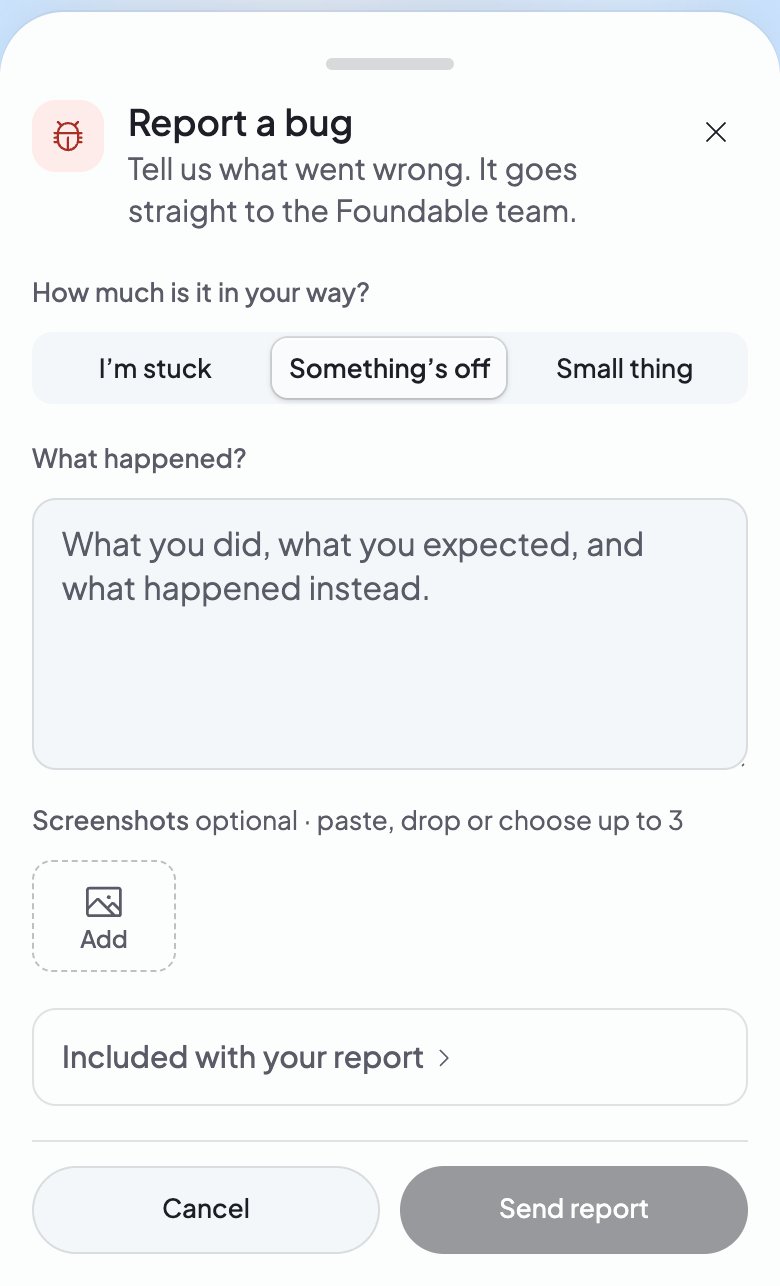
2
Say how much it’s in your way
Under How much is it in your way?, pick I’m stuck, Something’s off or Small thing.
3
Tell us what happened
Under What happened?, write what you did, what you expected, and what happened instead. To add screenshots, paste them, drop them in, or press Add. The box says how many fit.
4
Send it
Press Send report. The window then says the team has it and will reply in Messenger.
Tell us about a reply from Ted
Each of Ted’s replies has Helpful and Not helpful under it.- Not helpful opens Help us improve. Pick what went wrong: Didn’t communicate well, Design is off, Functionality is broken, Forgot what I told it before or Other. Then press Submit, or Skip. A note thanks you for your feedback.
- For a bigger problem, press … (More actions) on the reply, then Report a problem. The same form opens, about that reply, and goes straight to the Foundable team.
If something goes wrong
“We couldn’t send your report just now.”
“We couldn’t send your report just now.”
Your report didn’t go. Press Try again, or Email report to send it by email.
“You’ve sent several reports this hour, so this one wasn’t sent.”
“You’ve sent several reports this hour, so this one wasn’t sent.”
You sent many reports in a short time. Wait a while, press Email report, or tell the team in Support.
“Your screenshots didn’t attach. You can add them to the ticket in Messenger.”
“Your screenshots didn’t attach. You can add them to the ticket in Messenger.”
The report went, but its pictures didn’t. Press Open Messenger, then add them to your ticket under Tickets.
FAQ
Where do I find a bug report I sent?
Where do I find a bug report I sent?
In Messenger. Press Open Messenger after you send, or Support at the top right (on a phone, More, then Contact support). Your report is under Tickets, where the team replies and you add anything else. See Get help.
Related

Get help
Chat with the team, or email us.

Fix a problem
Find the message you see, and get straight to its fix.

Chat with Ted
Talk to Ted, and answer his cards.